Parent accounts and login
Parent account
Parents can also use Qridi Sport and e.g. register the athlete as participating in the events. You can easily find the credentials and instructions for parents. The system creates a pdf for each parent and instructions for creating an account. The parents' names do not need to be entered into the system, but the parent creates the credentials in Qridi Sport and links the athlete to his/her own account. A parent can have several athletes under own account.
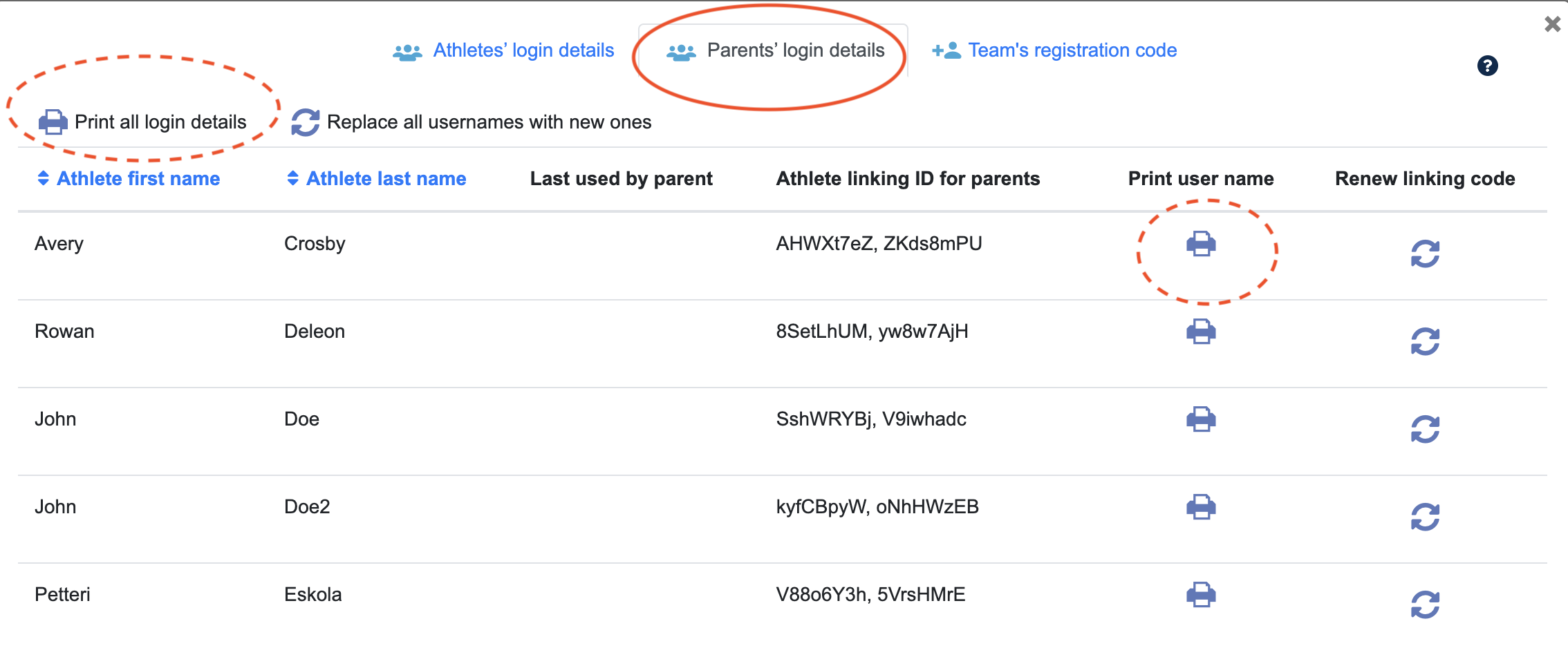
Instructions for parents can be found in the key icon under the team name.

In the window that opens, select the "Parent's login details" tab. You can print the registration instructions for the parents of the desired athlete. By clicking on the printer icon, the system creates a pdf with instructions and an ID for the parent. The printer button on the top left makes pdf documnts for all parents. The system creates two parent codes for every athlete, if both parents of the child want to use separate codes.
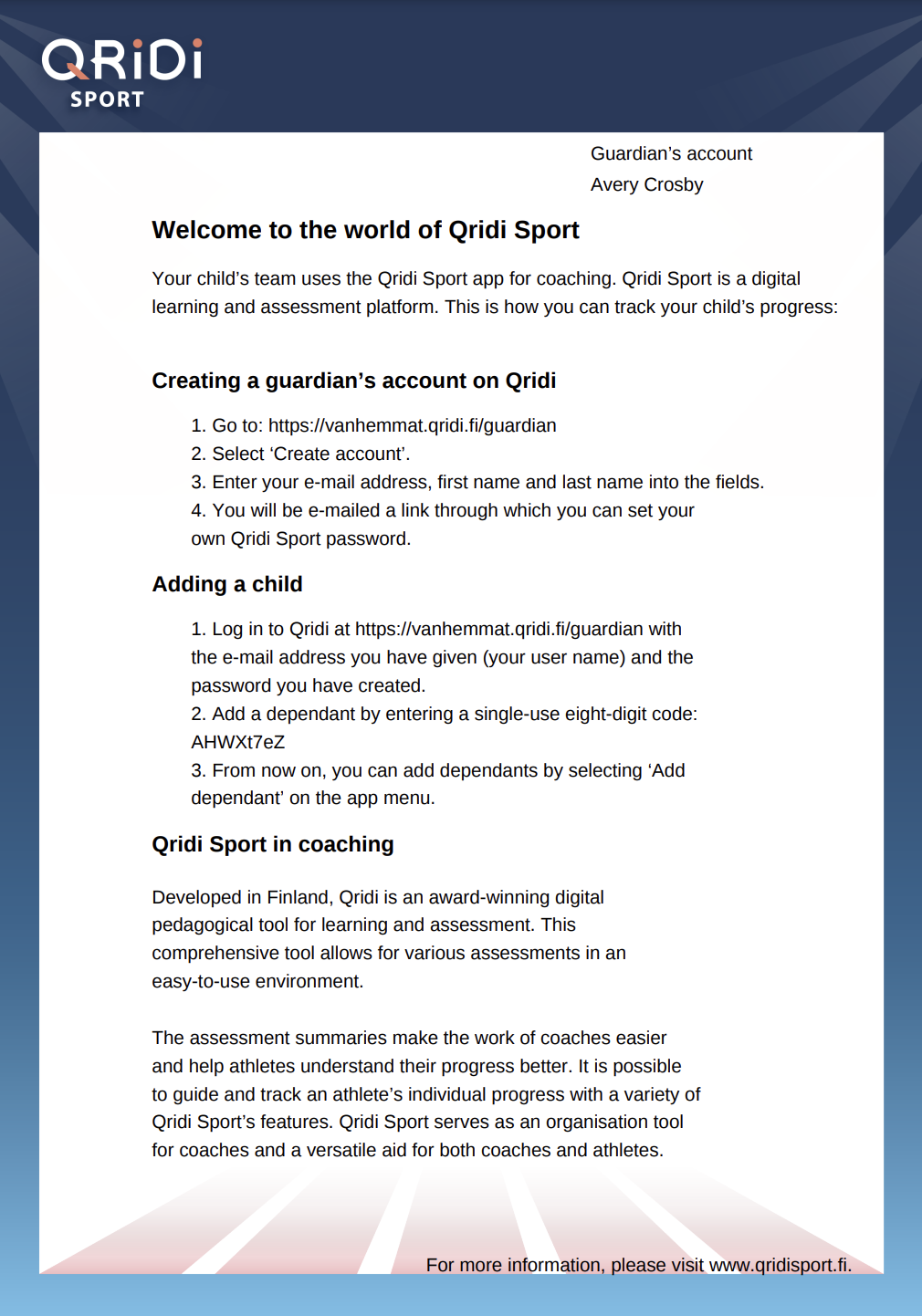
Below is a screenshot example of a PDF generated by the system. You can share this with parents in whichever way you prefer. Parents can also use the mobile application. It can be found in the app store under the name "Qridi" and they should select "Qridi Sport" as the usage area and "Parent" as the role.